Read summarized version with
Why is your website not converting? What is wrong with the landing page you expected to drive the best results? Looking for answers to these questions?
Enter conversion rate optimization(CR0) audit. A comprehensive CRO audit can help you understand user behavior, pinpoint issues with your landing pages or funnel, and implement learnings to optimize performance.
In a nutshell, a CRO audit answers all your Whats, Wheres and Whys related to conversion rate optimization. But how can you perform an in-depth CRO audit? We’re there to help.
Starting from the basics, this guide will help you understand what a CRO audit is, why it is necessary and when is the right time to perform one. In addition you’ll find a step by step process to perform a comprehensive CRO audit that answers all your queries.
Here’s a brief overview of what this article entails:
What is a CRO Audit? An in-depth assessment of website/landing page performance to determine and improve conversion rates.
Why is Conducting CRO Audits Necessary: Improves user experience, identifies conversion bottlenecks, and boosts ROI.
When is the Right Time to Conduct a CRO Audit: After significant website changes, sudden conversion drops, or during major marketing campaigns.
Getting Ready for a CRO Audit: Set clear goals, collect data on user behavior, analyze marketing campaigns, and prioritize areas for improvement.
How to Conduct a Comprehensive CRO Audit: Set clear goals, analyze landing pages, understand user behavior, conduct A/B tests, and continuously monitor and optimize.
CRO Audit Checklist: A step-by-step guide for conducting a successful CRO audit.
Tools for Conducting a CRO Audit: Utilize tools like Fibr AI for A/B testing and data analysis, Google Analytics for user behavior tracking, Hotjar for heatmaps and user recordings, and Crazy Egg for website analysis.
Let’s get started.
What is a CRO audit?
A CRO audit is an in-depth assessment of your website or landing page’s performance to help you determine how effective your landing page/website is in terms of driving conversions or the desired action (completing a form, scheduling a demo, downloading a resource) from visitors.
A CRO audit, when performed right, gives you detailed insights about different aspects of your landing page/website, including:
UX
Navigation
Content
Conversion funnels
Design
And a lot more
Primary goals of a CRO audit
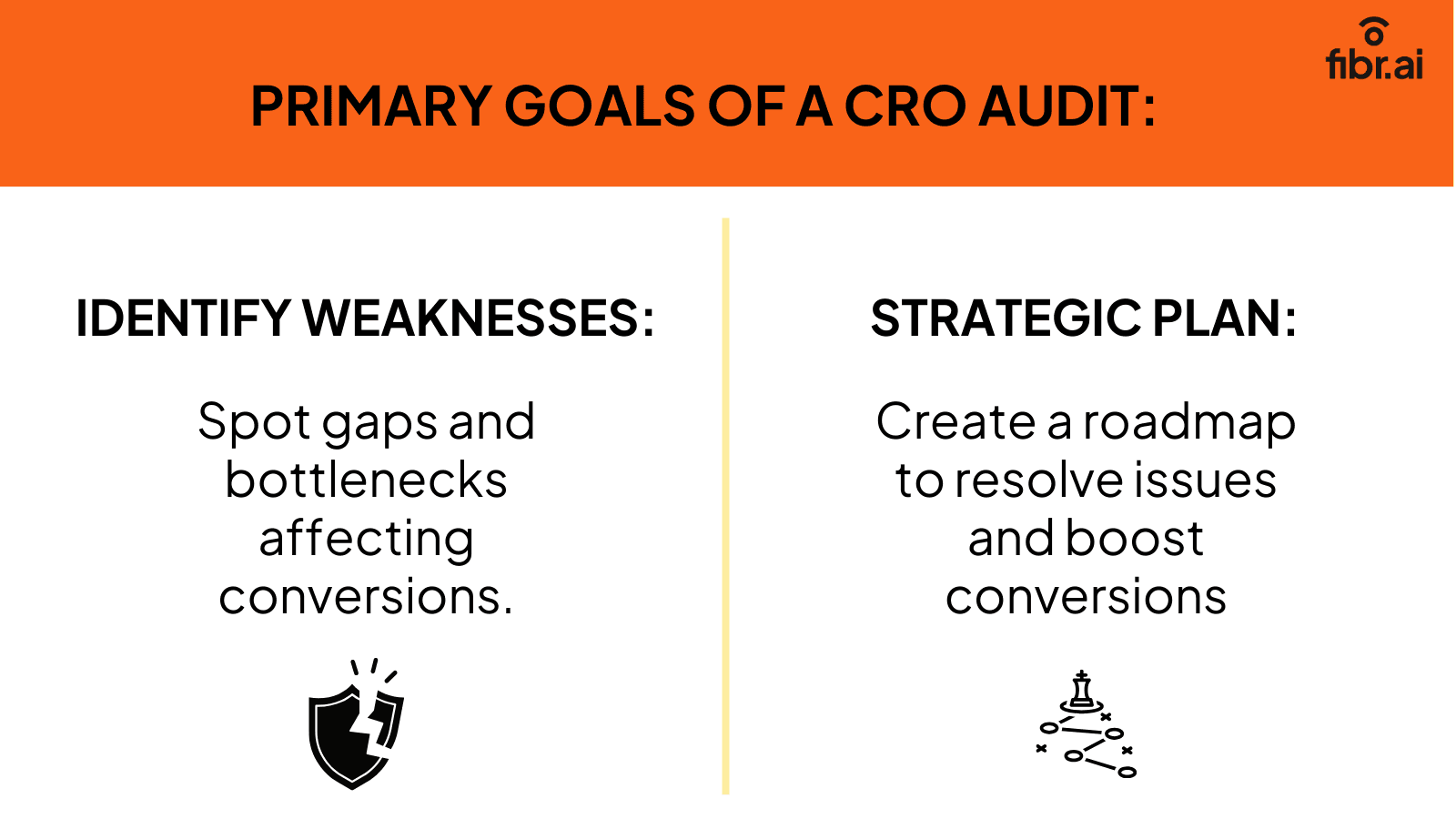
The primary goals of conducting a CRO audit are to:
Determine gaps/weaknesses/bottlenecks that might be impacting your conversions.
Devise a strategic CRO plan to fix the issues and increase conversions.
If you need a list of the top conversion rate optimization companies to help you achieve the above-mentioned goals of a CRO audit, refer to this resource: 10 Best Conversion Rate Optimization (CRO) Companies for Businesses in 2025.
Is conducting CRO audits even necessary?
Conducting a comprehensive CRO audit is essential for identifying and addressing conversion bottlenecks, understanding user behavior, and ultimately boosting ROI by optimizing the landing page and conversions.
Failing to conduct these audits can lead to common CRO mistakes, such as overlooking critical user journey insights or missing out on potential improvements that could significantly enhance your site's performance. :
1. Identify potential gaps or pitfalls
Imagine you’ve followed all the required instructions to create a conversion-friendly landing page. Unfortunately, conversions have dropped even lower than they were before. How would you identify the issue?
Guess what will help you? A conversion optimization audit. By conducting a comprehensive conversion rate audit, you will be able to pinpoint the potential issues, enabling you to optimize and boost the conversions.
2. Understand more about your users’ journey
A CRO audit helps you analyze and understand how the users behave or interact with the elements on your website.
Why is that important?
When you perform a CRO audit, you can see whether the visitor is taking the desired action or where they’re dropping off. This information helps you identify where the issues are.
For instance, if the users are dropping off at the checkout page, it can mean a few things:
Your landing page was good, which is why the user went to the checkout page.
Maybe there’s a problem with your checkout page (payment methods are not ideal, complex checkout process).
In short, by understanding the user’s journey you have something actionable. Now, you can make the optimizations, streamline your customers’ journey, and eventually drive conversions.
3. Boost ROI
CRO audits are meant to identify and fix issues that negatively impact conversions. When you fix these issues, your conversions grow - meaning you get more value from your existing traffic. And all this translates to more ROI on your marketing efforts.
Let’s assume you own an eCommerce business. Here are the details:
Monthly traffic: 1000.
Conversion rate: 1%
Total visitors converted to customers: 10
Average order value: $10
Monthly revenue: $100
You perform a CRO audit and find out there are multiple CTAs that split the focus of your audience, leading to a lower conversion rate. You fix the CTA and focus the attention of the visitors, leading to a 0.5% increase in the conversion rate.
New conversion rate after the CRO audit: 1.5%
Total visitors converted to customers: 15
Monthly revenue: $150 (15*10)
A 0.5% increase in conversion rate led to a 50% boost in your monthly revenue.
In a nutshell, a CRO audit is not something optional. It’s an essential process that every online business, regardless of its domain, must take advantage of.
When is the right time to Conduct a CRO audit?
The right time to conduct a CRO audit includes events like a sudden drop in conversion rates, website launches, upgrades, noticeable changes in conversion rates, and before promotions.
A CRO audit during these moments helps identify issues, optimize performance, and maximize ROI. Regular audits ensure your strategies remain effective and responsive to user behavior changes.

1. Sudden fall in conversion rates
Everything was fine.
But you suddenly noticed a drop in your conversion rates. Something is definitely wrong.
What should you do?
It’s time to perform a CRO audit.
A CRO audit will help you identify the potential reasons behind the decline in performance. Once you identify the problem, you can work on possible solutions and bring your conversions back up.
Pro Tip: Act the moment you notice a slump. This will help you minimize the impact on your bottom line.
2. Website launch
Launching your website or a new line of products? Wait for the results of your CRO audit.
Performing a CRO audit a few months before the launch of your website/product can help you identify potential issues early on. This will allow you to maximize your ROI and avoid any blunders.
Pro Tip: After the launch of the website/product, you’ll see a lot of traffic. However, it will slowly subside. Performing an audit at that time can:
Give you a fresh perspective on your CRO strategy.
Help if you determine if further optimizations are required.
3. Website upgrade
It’s common for businesses to make changes (web copy upgrade, a different theme, new features, etc) to their website every now and then. However, these changes can impact your conversion rate.
So, if you’ve recently made changes to your website, it’s advised to conduct a CRO audit. This will help you determine performance differences, if any.
Pro Tip: Prioritize the changes that might have a direct impact on conversions like CTAs, navigation over less important ones.
4. Change in conversion rate (high or low)
Earlier, we said you must perform an audit when your conversions drop. But what’s even better is to perform an audit whenever you notice a change (rise or fall).
Here’s why:
To help you identify what led to that change.
And fix or mimic that change based on its impact.
Pro Tip: make sure you review historical data to determine if the change is a temporary fluctuation or a part of a broader trend.
5. During promotions
Conduct a CRO audit If you’re about to launch promotions like discount offers. You’re expecting a lot more traffic than usual, and the same goes for the conversion. So, you’d want everything from the content and design to CTA placement to be perfect. And that’s something you can ensure with the help of a CRO audit.
Pro Tip: Include a load test in your CRO audit to ensure your site can handle the extra traffic seamlessly.
Now that you know what a CRO audit is, its importance, and the right time to conduct one, let’s learn how you should prepare for a CRO audit.
Getting ready for a CRO audit
Preparing for a CRO audit involves setting clear goals, gathering relevant data, analyzing marketing efforts, and identifying key conversion pages. By prioritizing actions based on potential impact, you can focus on areas that directly enhance your website’s performance.
In the following sections, we'll dive deeper into each of these steps to help you get ready for a successful CRO audit.
1. Define your goals
What do you want? More sign-ups? Traffic? Sales? Leads? Defining your goals and objectives will help guide your audit strategy and decide what CRO metrics you need to track.
Say you want to improve traffic on your eCommerce website. The metrics to track will include organic traffic, referral traffic, etc.
And if your goal is to improve sales, the metrics you’d want to track will be conversion rate and average order value.
2. Collecting data (quantitative and qualitative)
The next step in the process is collecting data relevant to your website’s performance. When it comes to quantitative data, you need to collect:
Traffic sources
User behavior
Conversion rates
Heatmaps (to understand the user behavior)
Tip: To collect this data, you can rely on Google Analytics and Hotjar (visualize user behavior with heatmap).
And for qualitative data, you can go for customer feedback. This will help you understand the “why” behind the users’ behavior.
To gather qualitative data, you can review customer feedback such as reviews or comments.
Tip: to collect feedback, you can use tools like Zonka Feedback and Hotjar.
The entire point of gathering the data is to identify the potential pain points of the users.
3. Analyze your marketing efforts
You need to analyze your existing marketing efforts to understand how effective they are in driving traffic and conversions:
Here’s how you can approach it:
Assess Traffic Sources: Identify where your website traffic is coming from, i.e., social media, organic, search traffic or email campaigns. By understanding the quality and quantity of traffic from multiple sources, you can determine which channel is more effective.
Evaluate Campaign Performance: review the performance of your every marketing campaign and analyze the metrics like CTR, ROI and conversion rates.
Analyze Audience Engagement: You must understand how your audience interacts with your marketing content. For instance, metrics like social media engagement, bounce rate, and time on the page tell you how well your content appeals to your audience.
Monitor Competitor Strategies: Keep an eye on the marketing efforts of your competitors to identify industry trends and benchmark your performance.
4. Where are the conversions happening?
Imagine you start your audit but you don’t know which pages to focus on. Would this type of audit make any sense? Of course not!
You’d want to focus your efforts on the pages where the real action (conversions) is. Examples of pages where conversions happen include product pages, payments pages, lead gen forms, landing pages, etc.
5. Prioritize your action
Let’s say your goal was to increase the conversion rate by 25% within the next 6 months.
And you identified these areas for improvement that could make a difference:
Product pages: People visit these pages but do not add products to cart.
Checkout: people are abandoning carts.
Email sign-ups: Your newsletter has a low subscription rate.
Now, you could start with the product page or the email sign-up issue. After all, only if more people add your product to the cart and sign up for your newsletter will you be able to nurture them further.
However, by doing that, you’d miss out on direct revenue. Why?
Because you’re not prioritizing the checkout issue. As it’s the last step before the money gets credited, you should first fix the checkout issue.
That’s why prioritizing your actions is crucial.
Now that you have all the prerequisites ready, it’s time to finally dive into the most interesting part of this article: conducting a CRO audit.
How to conduct a comprehensive CRO audit?
To conduct a comprehensive CRO audit, you need to set clear goals, break down conversion targets, select relevant metrics, and focus on high-priority pages. Key steps include evaluating landing page design and copy, analyzing the conversion funnel, understanding user behavior, forming hypotheses, and conducting A/B tests.
Continuous monitoring and optimization ensure sustained growth and improved conversions. Here is a step-by-step process to help you conduct a comprehensive CRO audit:

1. Decide the goals of your CRO audit
Yes, we talked about this in the previous section as well. However, it is essential to consider how important it is to define your goals.
Answer this: What are you planning to achieve with this CRO audit? What are your conversion targets? The answer to these questions depends primarily on:
How is your website doing?
How much are you planning to invest (time and effort)?
Remember, the goals you set for your CRO audit, directly impact what you do and what metrics you track. So, make sure the goals you set align with your overall business objectives.
For instance, if your business objective is to increase revenue from your website, the goal would be boosting the percentage of people completing the checkout process.
And based on the above goal, here are the metrics you’ll be tracking:
Add to cart rate
Checkout completion rate
Cart abandonment rate
2. Breaking down your conversion targets into actionable steps
You’re done setting the goals and objectives. What now? Now, you need to get more specific or granular with your conversion targets. Why is this important?
Say your goal is to double the conversions in the coming 3 months. While possible, doubling the conversion rate can sound pretty overwhelming.
Afterall, conversions could mean a lot of things in different industries. For instance, in e-commerce, conversion could be a purchase, and for SaaS, it could be a trial signup.
So, it’s important to get specific with your conversion targets by breaking down the primary goal into smaller achievable chunks. Here’s how:
Landing page conversions: Let’s say your larger goal is boosting landing page conversions. You can set smaller goals like evaluating the content on the landing page for clarity and relevance. This will help you ensure your content is communicating your value proposition the way you want.
Trial conversion: If your product meets the requirements of the users and is priced appropriately, most trial users will convert. However, if conversions are subpar, maybe you need to improve the pricing or the revamp complete onboarding experience.
Pricing page conversions: Visitors are reaching your pricing page. It’s good news! To improve conversions in this scenario, you need to ensure all the pricing plans are displayed clearly. Basically, they should allow the user to compare and decide.
3. Choosing the right metrics for your CRO audit

You should choose the metrics based on two things:
Your business goals or objectives
The actions you want the users to take.
Here are some conversion metrics worth monitoring:
Bounce rate: it tells if your users are staying on or bouncing off of your website.
Load time: this tells you how fast your website is loading.
User sessions: tells you how many users are interacting with your website.
Page scroll depth: tells you if visitors are scrolling through the entire page or leaving early.
Sign-up conversion: tells you if people are signing up as expected or not.
Product page conversions: tells you if you’re making any sales.
Trial-to-paid conversions: tells you if your trial users are converting.
CAC: tells you how much you pay to acquire a customer.
Feature adoption rate: tells if your app users are enjoying the new feature or not.
So, these were some general KPIs. Let’s also discuss some industry-specific KPIs:
CRO Audit Example for E-commerce Websites
Goal: Drive product purchases and boost revenue from sales.
KPIs
Conversion Rate: Percentage of visitors who complete a purchase.
Returning Customer Rate: Percentage of repeat customers, signaling loyalty and satisfaction.
Average Order Value: Average amount spent per order; indicates upselling or cross-selling success.
Cart Abandonment Rate: Percentage of users who add items to their cart but fail to complete checkout.
Customer Lifetime Value (CLV): Total revenue expected from a customer during their over their relationship with your company.
CRO Audit Example for SaaS Providers
Goal: increase trial signups, onboard users, and convert them into paying customers.
KPIs
Free Trial Signup Rate: Percentage of visitors who sign up for a free trial.
Activation Rate: Percentage of users who complete initial onboarding tasks.
Churn Rate: Percentage of users that cancel their subscriptions over a given period.
Upgrade Rate: Percentage of users that move from a free or basic plan to a paid plan.
Customer Acquisition Cost: Cost of acquiring each new user via marketing efforts.
Lead Generation Platforms
Goal: Generate quality leads for a sales team or further nurturing.
KPIs
Lead Conversion Rate: Percentage of visitors who fill out a form.1
Cost per Lead: Average cost to acquire a single lead; helps gauge marketing efficiency.
Form Completion Rate: Percentage of users who start and complete a form; important for evaluating the form’s design effectiveness.
Lead Quality Score: Evaluation of lead potential. It signals how close a lead is to becoming a customer.
Follow-Up Response Rate: leads who respond to initial outreach, which indicates interest.
CRO Audit Example for Content Sites
Goal: bring user engagement, boost page views, and potentially increase subscriptions or ad revenue.
KPIs
Time on Page / Session Duration: tells how long users spend on a page or the site overall, indicating content quality and engagement.
Pages per Session: tells you the average number of pages viewed per visit. A higher number means content is engaging.
Scroll Depth: tells you Measures how far users scroll down a page.
Bounce Rate: tells you the percentage of visitors who leave after viewing one page
Subscriber Signups: For sites that offer newsletters, email lists, or subscriptions, this metric tracks user sign ups for regular updates
4. Identify and focus on high-priority pages
Identify the pages with high traffic volume that act as crucial touchpoints in the customer journey. Because these are the pages that have the maximum impact on your conversion rates. And you’d obviously want them to perform.
So, skip TOFU pages and zero in on high-priority pages like demo sign-ups, free trials, or whatever is relevant to your business goals.
5. Landing page evaluation (don't skip this)
Your goal is to convert visitors into paying customers. That’s what all marketers wish to achieve. To achieve this, you have to make sure that your landing page is marvelous.
Think of this part of your CRO audit from a customer’s perspective, i.e., how would a customer perceive everything? This will help you optimize your landing page better. Here’s what you need to do:
Analyze the landing page design
Your landing page is supposed to bring you conversions, provided:
You’re doing everything right (optimizing it, taking inspiration from quality landing pages)
All the landing page elements are working in your favor.
How would you know for sure? Ask yourself these questions, and you’ll know for sure:
Is your landing page compelling visitors to focus where you want them to?
Is your landing page designed to grab and hold the visitor’s attention?
Is your landing page doing justice to your brand’s voice and tonality?
Is your landing page following a conversion-friendly structure?
Is your landing page showing benefits over features?
Is your landing page building trust and authority?
Technical issues in your landing page?
Poor loading speed
Broken links
Lengthy forms
Bad images
Finding answers to these questions can be overwhelming. But you’d be surprised to find out how effective it can make your landing page
Evaluate the landing page copy
Your landing page copy has one purpose: to persuade visitors to take the desired action. And if it’s not up to the mark, no matter how good your product or service is, you won’t get any conversions.
Here’s what you need to keep in mind when evaluating your landing page copy:
Write for your target audience. Your copy should resonate with them.
The information you share should be in the right hierarchy.
Your headlines should grab the attention of your visitors.
Provide enough social proof on your landing page to win trust.
Add a CTA that is clear and attracts visitors to click.
Bonus: Is your landing page message in sync with your ad?
Imagine you see a quirky ad with amazing graphics and copy making you want to click. We all have seen these types of ads. You end up clicking on the ad only to find out it’s a completely different story on the landing page.
What would you do? Of course, bounce off!
You bounced off because you did not get what you were promised.
So, when evaluating your landing page, make sure the ad copy and the landing page’s messaging are in sync. (we know an amazing CRO tool that’ll help you sync and personalize your messaging on all ad platforms and landing pages)
6. Conversion funnel analysis
A conversion funnel is what your visitors go through to transform into paying customers - starting from the awareness stage and ending with the decision-making stage.
Analyzing your conversion funnel as a part of your CRO audit can reveal important insights into user behavior and potential issues.
Let’s say, upon analyzing your funnel, you identify a dropoff between the conversion and subscription stages. Now, you know where the problem is. You can run A/B tests, fix the issue, and instantly boost conversions.
7. Understanding user behaviors
It’s time to understand user behavior. This step helps you skip the guesswork and understand:
How are users interacting with your website or behaving?
Why are they not taking the desired actions?
You can leverage the goal conversions feature in Google Analytics and track events to closely analyze user behavior.
If you mix these insights with those from funnel analysis, you can:
Identify where the dropoff is happening
Understand the why behind the dropoff
All this makes your optimizations more powerful.
8. Form a hypothesis
By now, you’ll have some good data. And you might even have identified the potential problems and their solutions. Gather your data and form a hypothetical theory that explains what is happening, why, and what can be done to optimize the performance.
Here’s an example: Say you notice that users are dropping off at the checkout stage. You hypothesize that a complex checkout process may be causing that frustration. To test your theory, you might simplify your checkout steps or offer a guest checkout option to further reduce friction.
Once you have your hypothesis ready, go for an A/B test.
9. A/B testing your hypothesis
A/B testing is the final step of your CRO audit. It’s finally time to put your theory to the test and clear all your doubts.
The result of an A/B test will help you determine if what you were thinking was right. And you can then use these insights to improve further. Here are some elements you’d want to test:
Headlines: Headlines are one of the elements that your users see the moment they land on your page. Play around with your headlines and find a high-converting one. Here’s a tool that can suggest amazing high-converting headlines using AI: Fibr AI.
CTAs: See what color, text, and size of the call to action works better.
Images: Landing pages usually don’t have several images. However, every landing page has a hero image, which has to be perfect.
Copy: try out a different format, tone, voice, etc. You can even try to shorten your copy.
Lead generation forms: keep your forms brief, to the point, and easy to exit.
Once you’re done with your A/B test, you’ll get to know if what you thought was right or not. Based on the results you get, you can create further theories and test them until you achieve complete truth.
Pro Tip: A/B testing is not worth the effort without the right tool. Fibr AI is an AI-powered personalization platform that can help you perform comprehensive A/B tests, craft and optimize landing pages, and create tons of landing page variations within seconds.
The best part? Fibr AI is FOREVER-FREE. So, you’ve got nothing to lose.
Sign up for free with Fibr AI and run as many A/B tests as you want.
Bonus: Ensure continuous monitoring, evaluation and optimization
CRO audit is not a one-off process. You need to continuously monitor the KPIs that matter, evaluate your learnings, and implement what you’ve learned. That’s the only way you can ensure consistent growth.
CRO audit checklist
Here’s your complete CRO audit checklist for performing a comprehensive audit:
Decide the goals of your CRO audit
Break down your conversion targets into actionable steps
Choose the right metrics for your CRO audit
Identify high-priority pages
Evaluate your landing page
Analyze your conversion funnel
Understand user behavior
Forma a hypothesis
A/B test your theory
Ensure continuous monitoring, evaluation, and optimization
If you’ve not yet combined AI with CRO, you could be missing out on numerous benefits. Here’s a beautiful resource to help you understand and leverage AI-powered CRO: What is AI Conversion Rate Optimization?
CRO audit checklist
1. How frequently should I conduct CRO audits?
The more you conduct the better it is. While there is no specific number, you should always conduct CRO audits during particular events like:
Sudden fall in conversion rates
Website launch
Website upgrade
Change in conversion rate (high or low)
During promotions
2. What are eCommerce CRO audits?
CRO audits and eCommerce CRO audits are the same thing. The only difference is that eCommerce CRO audits refer to the audits performed on websites in the eCommerce industry.
3. Should I hire a professional CRO agency for CRO audits?
You can hire a professional CRO agency or purchase a reliable CRO tool like Fibr AI. Both these solutions ensure you get all the expertise, tools, and help you need to perform CRO audits and boost your conversion rate.





Ankur Goyal
CEO @ Fibr AI
Ankur Goyal, a visionary entrepreneur, is the driving force behind Fibr, a groundbreaking AI co-pilot for websites. With a dual degree from Stanford University and IIT Delhi, Ankur brings a unique blend of technical prowess and business acumen to the table. This isn't his first rodeo; Ankur is a seasoned entrepreneur with a keen understanding of consumer behavior, web dynamics, and AI. Through Fibr, he aims to revolutionize the way websites engage with users, making digital interactions smarter and more intuitive.
Read summarized version with
Why is your website not converting? What is wrong with the landing page you expected to drive the best results? Looking for answers to these questions?
Enter conversion rate optimization(CR0) audit. A comprehensive CRO audit can help you understand user behavior, pinpoint issues with your landing pages or funnel, and implement learnings to optimize performance.
In a nutshell, a CRO audit answers all your Whats, Wheres and Whys related to conversion rate optimization. But how can you perform an in-depth CRO audit? We’re there to help.
Starting from the basics, this guide will help you understand what a CRO audit is, why it is necessary and when is the right time to perform one. In addition you’ll find a step by step process to perform a comprehensive CRO audit that answers all your queries.
Here’s a brief overview of what this article entails:
What is a CRO Audit? An in-depth assessment of website/landing page performance to determine and improve conversion rates.
Why is Conducting CRO Audits Necessary: Improves user experience, identifies conversion bottlenecks, and boosts ROI.
When is the Right Time to Conduct a CRO Audit: After significant website changes, sudden conversion drops, or during major marketing campaigns.
Getting Ready for a CRO Audit: Set clear goals, collect data on user behavior, analyze marketing campaigns, and prioritize areas for improvement.
How to Conduct a Comprehensive CRO Audit: Set clear goals, analyze landing pages, understand user behavior, conduct A/B tests, and continuously monitor and optimize.
CRO Audit Checklist: A step-by-step guide for conducting a successful CRO audit.
Tools for Conducting a CRO Audit: Utilize tools like Fibr AI for A/B testing and data analysis, Google Analytics for user behavior tracking, Hotjar for heatmaps and user recordings, and Crazy Egg for website analysis.
Let’s get started.
What is a CRO audit?
A CRO audit is an in-depth assessment of your website or landing page’s performance to help you determine how effective your landing page/website is in terms of driving conversions or the desired action (completing a form, scheduling a demo, downloading a resource) from visitors.
A CRO audit, when performed right, gives you detailed insights about different aspects of your landing page/website, including:
UX
Navigation
Content
Conversion funnels
Design
And a lot more
Primary goals of a CRO audit
The primary goals of conducting a CRO audit are to:
Determine gaps/weaknesses/bottlenecks that might be impacting your conversions.
Devise a strategic CRO plan to fix the issues and increase conversions.
If you need a list of the top conversion rate optimization companies to help you achieve the above-mentioned goals of a CRO audit, refer to this resource: 10 Best Conversion Rate Optimization (CRO) Companies for Businesses in 2025.
Is conducting CRO audits even necessary?
Conducting a comprehensive CRO audit is essential for identifying and addressing conversion bottlenecks, understanding user behavior, and ultimately boosting ROI by optimizing the landing page and conversions.
Failing to conduct these audits can lead to common CRO mistakes, such as overlooking critical user journey insights or missing out on potential improvements that could significantly enhance your site's performance. :
1. Identify potential gaps or pitfalls
Imagine you’ve followed all the required instructions to create a conversion-friendly landing page. Unfortunately, conversions have dropped even lower than they were before. How would you identify the issue?
Guess what will help you? A conversion optimization audit. By conducting a comprehensive conversion rate audit, you will be able to pinpoint the potential issues, enabling you to optimize and boost the conversions.
2. Understand more about your users’ journey
A CRO audit helps you analyze and understand how the users behave or interact with the elements on your website.
Why is that important?
When you perform a CRO audit, you can see whether the visitor is taking the desired action or where they’re dropping off. This information helps you identify where the issues are.
For instance, if the users are dropping off at the checkout page, it can mean a few things:
Your landing page was good, which is why the user went to the checkout page.
Maybe there’s a problem with your checkout page (payment methods are not ideal, complex checkout process).
In short, by understanding the user’s journey you have something actionable. Now, you can make the optimizations, streamline your customers’ journey, and eventually drive conversions.
3. Boost ROI
CRO audits are meant to identify and fix issues that negatively impact conversions. When you fix these issues, your conversions grow - meaning you get more value from your existing traffic. And all this translates to more ROI on your marketing efforts.
Let’s assume you own an eCommerce business. Here are the details:
Monthly traffic: 1000.
Conversion rate: 1%
Total visitors converted to customers: 10
Average order value: $10
Monthly revenue: $100
You perform a CRO audit and find out there are multiple CTAs that split the focus of your audience, leading to a lower conversion rate. You fix the CTA and focus the attention of the visitors, leading to a 0.5% increase in the conversion rate.
New conversion rate after the CRO audit: 1.5%
Total visitors converted to customers: 15
Monthly revenue: $150 (15*10)
A 0.5% increase in conversion rate led to a 50% boost in your monthly revenue.
In a nutshell, a CRO audit is not something optional. It’s an essential process that every online business, regardless of its domain, must take advantage of.
When is the right time to Conduct a CRO audit?
The right time to conduct a CRO audit includes events like a sudden drop in conversion rates, website launches, upgrades, noticeable changes in conversion rates, and before promotions.
A CRO audit during these moments helps identify issues, optimize performance, and maximize ROI. Regular audits ensure your strategies remain effective and responsive to user behavior changes.
1. Sudden fall in conversion rates
Everything was fine.
But you suddenly noticed a drop in your conversion rates. Something is definitely wrong.
What should you do?
It’s time to perform a CRO audit.
A CRO audit will help you identify the potential reasons behind the decline in performance. Once you identify the problem, you can work on possible solutions and bring your conversions back up.
Pro Tip: Act the moment you notice a slump. This will help you minimize the impact on your bottom line.
2. Website launch
Launching your website or a new line of products? Wait for the results of your CRO audit.
Performing a CRO audit a few months before the launch of your website/product can help you identify potential issues early on. This will allow you to maximize your ROI and avoid any blunders.
Pro Tip: After the launch of the website/product, you’ll see a lot of traffic. However, it will slowly subside. Performing an audit at that time can:
Give you a fresh perspective on your CRO strategy.
Help if you determine if further optimizations are required.
3. Website upgrade
It’s common for businesses to make changes (web copy upgrade, a different theme, new features, etc) to their website every now and then. However, these changes can impact your conversion rate.
So, if you’ve recently made changes to your website, it’s advised to conduct a CRO audit. This will help you determine performance differences, if any.
Pro Tip: Prioritize the changes that might have a direct impact on conversions like CTAs, navigation over less important ones.
4. Change in conversion rate (high or low)
Earlier, we said you must perform an audit when your conversions drop. But what’s even better is to perform an audit whenever you notice a change (rise or fall).
Here’s why:
To help you identify what led to that change.
And fix or mimic that change based on its impact.
Pro Tip: make sure you review historical data to determine if the change is a temporary fluctuation or a part of a broader trend.
5. During promotions
Conduct a CRO audit If you’re about to launch promotions like discount offers. You’re expecting a lot more traffic than usual, and the same goes for the conversion. So, you’d want everything from the content and design to CTA placement to be perfect. And that’s something you can ensure with the help of a CRO audit.
Pro Tip: Include a load test in your CRO audit to ensure your site can handle the extra traffic seamlessly.
Now that you know what a CRO audit is, its importance, and the right time to conduct one, let’s learn how you should prepare for a CRO audit.
Getting ready for a CRO audit
Preparing for a CRO audit involves setting clear goals, gathering relevant data, analyzing marketing efforts, and identifying key conversion pages. By prioritizing actions based on potential impact, you can focus on areas that directly enhance your website’s performance.
In the following sections, we'll dive deeper into each of these steps to help you get ready for a successful CRO audit.
1. Define your goals
What do you want? More sign-ups? Traffic? Sales? Leads? Defining your goals and objectives will help guide your audit strategy and decide what CRO metrics you need to track.
Say you want to improve traffic on your eCommerce website. The metrics to track will include organic traffic, referral traffic, etc.
And if your goal is to improve sales, the metrics you’d want to track will be conversion rate and average order value.
2. Collecting data (quantitative and qualitative)
The next step in the process is collecting data relevant to your website’s performance. When it comes to quantitative data, you need to collect:
Traffic sources
User behavior
Conversion rates
Heatmaps (to understand the user behavior)
Tip: To collect this data, you can rely on Google Analytics and Hotjar (visualize user behavior with heatmap).
And for qualitative data, you can go for customer feedback. This will help you understand the “why” behind the users’ behavior.
To gather qualitative data, you can review customer feedback such as reviews or comments.
Tip: to collect feedback, you can use tools like Zonka Feedback and Hotjar.
The entire point of gathering the data is to identify the potential pain points of the users.
3. Analyze your marketing efforts
You need to analyze your existing marketing efforts to understand how effective they are in driving traffic and conversions:
Here’s how you can approach it:
Assess Traffic Sources: Identify where your website traffic is coming from, i.e., social media, organic, search traffic or email campaigns. By understanding the quality and quantity of traffic from multiple sources, you can determine which channel is more effective.
Evaluate Campaign Performance: review the performance of your every marketing campaign and analyze the metrics like CTR, ROI and conversion rates.
Analyze Audience Engagement: You must understand how your audience interacts with your marketing content. For instance, metrics like social media engagement, bounce rate, and time on the page tell you how well your content appeals to your audience.
Monitor Competitor Strategies: Keep an eye on the marketing efforts of your competitors to identify industry trends and benchmark your performance.
4. Where are the conversions happening?
Imagine you start your audit but you don’t know which pages to focus on. Would this type of audit make any sense? Of course not!
You’d want to focus your efforts on the pages where the real action (conversions) is. Examples of pages where conversions happen include product pages, payments pages, lead gen forms, landing pages, etc.
5. Prioritize your action
Let’s say your goal was to increase the conversion rate by 25% within the next 6 months.
And you identified these areas for improvement that could make a difference:
Product pages: People visit these pages but do not add products to cart.
Checkout: people are abandoning carts.
Email sign-ups: Your newsletter has a low subscription rate.
Now, you could start with the product page or the email sign-up issue. After all, only if more people add your product to the cart and sign up for your newsletter will you be able to nurture them further.
However, by doing that, you’d miss out on direct revenue. Why?
Because you’re not prioritizing the checkout issue. As it’s the last step before the money gets credited, you should first fix the checkout issue.
That’s why prioritizing your actions is crucial.
Now that you have all the prerequisites ready, it’s time to finally dive into the most interesting part of this article: conducting a CRO audit.
How to conduct a comprehensive CRO audit?
To conduct a comprehensive CRO audit, you need to set clear goals, break down conversion targets, select relevant metrics, and focus on high-priority pages. Key steps include evaluating landing page design and copy, analyzing the conversion funnel, understanding user behavior, forming hypotheses, and conducting A/B tests.
Continuous monitoring and optimization ensure sustained growth and improved conversions. Here is a step-by-step process to help you conduct a comprehensive CRO audit:
1. Decide the goals of your CRO audit
Yes, we talked about this in the previous section as well. However, it is essential to consider how important it is to define your goals.
Answer this: What are you planning to achieve with this CRO audit? What are your conversion targets? The answer to these questions depends primarily on:
How is your website doing?
How much are you planning to invest (time and effort)?
Remember, the goals you set for your CRO audit, directly impact what you do and what metrics you track. So, make sure the goals you set align with your overall business objectives.
For instance, if your business objective is to increase revenue from your website, the goal would be boosting the percentage of people completing the checkout process.
And based on the above goal, here are the metrics you’ll be tracking:
Add to cart rate
Checkout completion rate
Cart abandonment rate
2. Breaking down your conversion targets into actionable steps
You’re done setting the goals and objectives. What now? Now, you need to get more specific or granular with your conversion targets. Why is this important?
Say your goal is to double the conversions in the coming 3 months. While possible, doubling the conversion rate can sound pretty overwhelming.
Afterall, conversions could mean a lot of things in different industries. For instance, in e-commerce, conversion could be a purchase, and for SaaS, it could be a trial signup.
So, it’s important to get specific with your conversion targets by breaking down the primary goal into smaller achievable chunks. Here’s how:
Landing page conversions: Let’s say your larger goal is boosting landing page conversions. You can set smaller goals like evaluating the content on the landing page for clarity and relevance. This will help you ensure your content is communicating your value proposition the way you want.
Trial conversion: If your product meets the requirements of the users and is priced appropriately, most trial users will convert. However, if conversions are subpar, maybe you need to improve the pricing or the revamp complete onboarding experience.
Pricing page conversions: Visitors are reaching your pricing page. It’s good news! To improve conversions in this scenario, you need to ensure all the pricing plans are displayed clearly. Basically, they should allow the user to compare and decide.
3. Choosing the right metrics for your CRO audit
You should choose the metrics based on two things:
Your business goals or objectives
The actions you want the users to take.
Here are some conversion metrics worth monitoring:
Bounce rate: it tells if your users are staying on or bouncing off of your website.
Load time: this tells you how fast your website is loading.
User sessions: tells you how many users are interacting with your website.
Page scroll depth: tells you if visitors are scrolling through the entire page or leaving early.
Sign-up conversion: tells you if people are signing up as expected or not.
Product page conversions: tells you if you’re making any sales.
Trial-to-paid conversions: tells you if your trial users are converting.
CAC: tells you how much you pay to acquire a customer.
Feature adoption rate: tells if your app users are enjoying the new feature or not.
So, these were some general KPIs. Let’s also discuss some industry-specific KPIs:
CRO Audit Example for E-commerce Websites
Goal: Drive product purchases and boost revenue from sales.
KPIs
Conversion Rate: Percentage of visitors who complete a purchase.
Returning Customer Rate: Percentage of repeat customers, signaling loyalty and satisfaction.
Average Order Value: Average amount spent per order; indicates upselling or cross-selling success.
Cart Abandonment Rate: Percentage of users who add items to their cart but fail to complete checkout.
Customer Lifetime Value (CLV): Total revenue expected from a customer during their over their relationship with your company.
CRO Audit Example for SaaS Providers
Goal: increase trial signups, onboard users, and convert them into paying customers.
KPIs
Free Trial Signup Rate: Percentage of visitors who sign up for a free trial.
Activation Rate: Percentage of users who complete initial onboarding tasks.
Churn Rate: Percentage of users that cancel their subscriptions over a given period.
Upgrade Rate: Percentage of users that move from a free or basic plan to a paid plan.
Customer Acquisition Cost: Cost of acquiring each new user via marketing efforts.
Lead Generation Platforms
Goal: Generate quality leads for a sales team or further nurturing.
KPIs
Lead Conversion Rate: Percentage of visitors who fill out a form.1
Cost per Lead: Average cost to acquire a single lead; helps gauge marketing efficiency.
Form Completion Rate: Percentage of users who start and complete a form; important for evaluating the form’s design effectiveness.
Lead Quality Score: Evaluation of lead potential. It signals how close a lead is to becoming a customer.
Follow-Up Response Rate: leads who respond to initial outreach, which indicates interest.
CRO Audit Example for Content Sites
Goal: bring user engagement, boost page views, and potentially increase subscriptions or ad revenue.
KPIs
Time on Page / Session Duration: tells how long users spend on a page or the site overall, indicating content quality and engagement.
Pages per Session: tells you the average number of pages viewed per visit. A higher number means content is engaging.
Scroll Depth: tells you Measures how far users scroll down a page.
Bounce Rate: tells you the percentage of visitors who leave after viewing one page
Subscriber Signups: For sites that offer newsletters, email lists, or subscriptions, this metric tracks user sign ups for regular updates
4. Identify and focus on high-priority pages
Identify the pages with high traffic volume that act as crucial touchpoints in the customer journey. Because these are the pages that have the maximum impact on your conversion rates. And you’d obviously want them to perform.
So, skip TOFU pages and zero in on high-priority pages like demo sign-ups, free trials, or whatever is relevant to your business goals.
5. Landing page evaluation (don't skip this)
Your goal is to convert visitors into paying customers. That’s what all marketers wish to achieve. To achieve this, you have to make sure that your landing page is marvelous.
Think of this part of your CRO audit from a customer’s perspective, i.e., how would a customer perceive everything? This will help you optimize your landing page better. Here’s what you need to do:
Analyze the landing page design
Your landing page is supposed to bring you conversions, provided:
You’re doing everything right (optimizing it, taking inspiration from quality landing pages)
All the landing page elements are working in your favor.
How would you know for sure? Ask yourself these questions, and you’ll know for sure:
Is your landing page compelling visitors to focus where you want them to?
Is your landing page designed to grab and hold the visitor’s attention?
Is your landing page doing justice to your brand’s voice and tonality?
Is your landing page following a conversion-friendly structure?
Is your landing page showing benefits over features?
Is your landing page building trust and authority?
Technical issues in your landing page?
Poor loading speed
Broken links
Lengthy forms
Bad images
Finding answers to these questions can be overwhelming. But you’d be surprised to find out how effective it can make your landing page
Evaluate the landing page copy
Your landing page copy has one purpose: to persuade visitors to take the desired action. And if it’s not up to the mark, no matter how good your product or service is, you won’t get any conversions.
Here’s what you need to keep in mind when evaluating your landing page copy:
Write for your target audience. Your copy should resonate with them.
The information you share should be in the right hierarchy.
Your headlines should grab the attention of your visitors.
Provide enough social proof on your landing page to win trust.
Add a CTA that is clear and attracts visitors to click.
Bonus: Is your landing page message in sync with your ad?
Imagine you see a quirky ad with amazing graphics and copy making you want to click. We all have seen these types of ads. You end up clicking on the ad only to find out it’s a completely different story on the landing page.
What would you do? Of course, bounce off!
You bounced off because you did not get what you were promised.
So, when evaluating your landing page, make sure the ad copy and the landing page’s messaging are in sync. (we know an amazing CRO tool that’ll help you sync and personalize your messaging on all ad platforms and landing pages)
6. Conversion funnel analysis
A conversion funnel is what your visitors go through to transform into paying customers - starting from the awareness stage and ending with the decision-making stage.
Analyzing your conversion funnel as a part of your CRO audit can reveal important insights into user behavior and potential issues.
Let’s say, upon analyzing your funnel, you identify a dropoff between the conversion and subscription stages. Now, you know where the problem is. You can run A/B tests, fix the issue, and instantly boost conversions.
7. Understanding user behaviors
It’s time to understand user behavior. This step helps you skip the guesswork and understand:
How are users interacting with your website or behaving?
Why are they not taking the desired actions?
You can leverage the goal conversions feature in Google Analytics and track events to closely analyze user behavior.
If you mix these insights with those from funnel analysis, you can:
Identify where the dropoff is happening
Understand the why behind the dropoff
All this makes your optimizations more powerful.
8. Form a hypothesis
By now, you’ll have some good data. And you might even have identified the potential problems and their solutions. Gather your data and form a hypothetical theory that explains what is happening, why, and what can be done to optimize the performance.
Here’s an example: Say you notice that users are dropping off at the checkout stage. You hypothesize that a complex checkout process may be causing that frustration. To test your theory, you might simplify your checkout steps or offer a guest checkout option to further reduce friction.
Once you have your hypothesis ready, go for an A/B test.
9. A/B testing your hypothesis
A/B testing is the final step of your CRO audit. It’s finally time to put your theory to the test and clear all your doubts.
The result of an A/B test will help you determine if what you were thinking was right. And you can then use these insights to improve further. Here are some elements you’d want to test:
Headlines: Headlines are one of the elements that your users see the moment they land on your page. Play around with your headlines and find a high-converting one. Here’s a tool that can suggest amazing high-converting headlines using AI: Fibr AI.
CTAs: See what color, text, and size of the call to action works better.
Images: Landing pages usually don’t have several images. However, every landing page has a hero image, which has to be perfect.
Copy: try out a different format, tone, voice, etc. You can even try to shorten your copy.
Lead generation forms: keep your forms brief, to the point, and easy to exit.
Once you’re done with your A/B test, you’ll get to know if what you thought was right or not. Based on the results you get, you can create further theories and test them until you achieve complete truth.
Pro Tip: A/B testing is not worth the effort without the right tool. Fibr AI is an AI-powered personalization platform that can help you perform comprehensive A/B tests, craft and optimize landing pages, and create tons of landing page variations within seconds.
The best part? Fibr AI is FOREVER-FREE. So, you’ve got nothing to lose.
Sign up for free with Fibr AI and run as many A/B tests as you want.
Bonus: Ensure continuous monitoring, evaluation and optimization
CRO audit is not a one-off process. You need to continuously monitor the KPIs that matter, evaluate your learnings, and implement what you’ve learned. That’s the only way you can ensure consistent growth.
CRO audit checklist
Here’s your complete CRO audit checklist for performing a comprehensive audit:
Decide the goals of your CRO audit
Break down your conversion targets into actionable steps
Choose the right metrics for your CRO audit
Identify high-priority pages
Evaluate your landing page
Analyze your conversion funnel
Understand user behavior
Forma a hypothesis
A/B test your theory
Ensure continuous monitoring, evaluation, and optimization
If you’ve not yet combined AI with CRO, you could be missing out on numerous benefits. Here’s a beautiful resource to help you understand and leverage AI-powered CRO: What is AI Conversion Rate Optimization?
CRO audit checklist
1. How frequently should I conduct CRO audits?
The more you conduct the better it is. While there is no specific number, you should always conduct CRO audits during particular events like:
Sudden fall in conversion rates
Website launch
Website upgrade
Change in conversion rate (high or low)
During promotions
2. What are eCommerce CRO audits?
CRO audits and eCommerce CRO audits are the same thing. The only difference is that eCommerce CRO audits refer to the audits performed on websites in the eCommerce industry.
3. Should I hire a professional CRO agency for CRO audits?
You can hire a professional CRO agency or purchase a reliable CRO tool like Fibr AI. Both these solutions ensure you get all the expertise, tools, and help you need to perform CRO audits and boost your conversion rate.
FAQs
Ankur Goyal
CEO @ Fibr AI
Ankur Goyal, a visionary entrepreneur, is the driving force behind Fibr, a groundbreaking AI co-pilot for websites. With a dual degree from Stanford University and IIT Delhi, Ankur brings a unique blend of technical prowess and business acumen to the table. This isn't his first rodeo; Ankur is a seasoned entrepreneur with a keen understanding of consumer behavior, web dynamics, and AI. Through Fibr, he aims to revolutionize the way websites engage with users, making digital interactions smarter and more intuitive.